
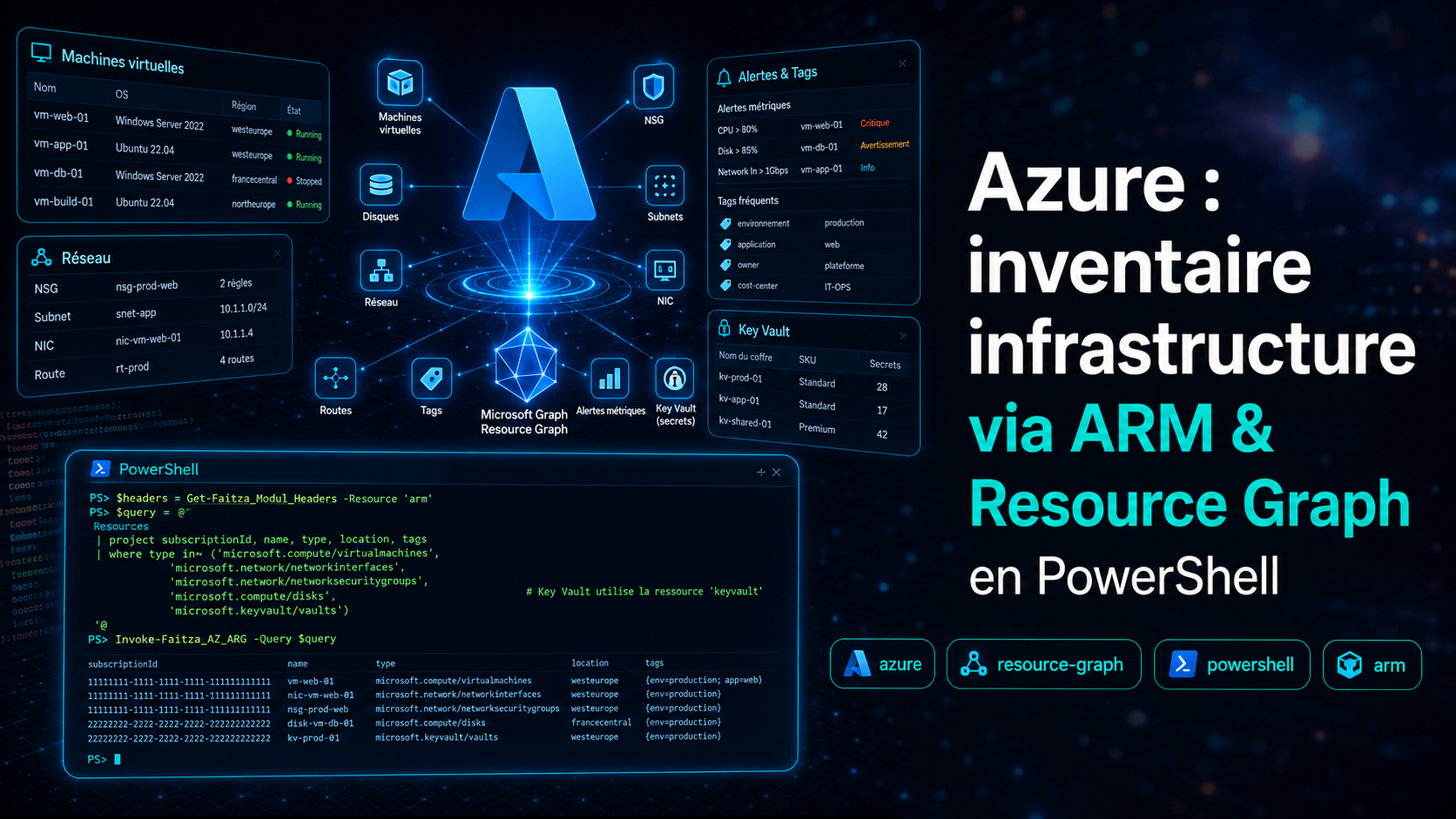
Azure : inventaire infrastructure via ARM & Resource Graph en PowerShell
Introduction
Faitza_AZ.ps1 regroupe les fonctions PowerShell pour inventorier et
gérer l'infrastructure Azure : machines virtuelles, réseau (NSG, subnets, NIC, routes),
disques, tags, alertes métriques et secrets Key Vault. Toutes les requêtes
d'inventaire passent par Azure Resource Graph via
Invoke-Faitza_AZ_ARG — une seule requête KQL couvre toutes les
souscriptions sans boucler sur les ressources une par une.
Les fonctions d'inventaire utilisent Get-Faitza_Modul_Headers -resource "arm",
les fonctions Key Vault utilisent Get-Faitza_Modul_Headers -resource "keyvault".
Voir l'article dédié :
Token Bearer pour les APIs Microsoft en PowerShell.
ARG — Moteur Azure Resource Graph
Fonction centrale utilisée par toutes les autres. Envoie une requête KQL à l'API
Azure Resource Graph (Microsoft.ResourceGraph/resources), gère la
pagination via $skipToken et les throttling 429 avec retry automatique
(jusqu'à 4 tentatives, délai Retry-After).
Reader sur les souscriptions ou groupes de ressources ciblés · Token arm
function Invoke-Faitza_AZ_ARG {
    param (
        [string]$Body,
        [hashtable]$Headers,
        [string]$CallerName = "?"
    )
    try {
        Write-Host "$($PSStyle.Background.Red)>>> Invoke-Faitza_AZ_ARG <<<$($PSStyle.Reset)"

        $Url = "https://management.azure.com/providers/Microsoft.ResourceGraph/resources?api-version=2021-03-01"
        $MaxRetries = 4
        $AllData = @()
        $CurrentBody = $Body
        $PageIndex = 0

        do {
            $PageIndex++
            $RetryCount = 0
            $Success = $false
            $Response = $null

            Write-Host "  [ARG][$CallerName] Page $PageIndex - début appel REST ($(Get-Date -Format 'HH:mm:ss'))"

            while (-not $Success -and $RetryCount -lt $MaxRetries) {
                try {
                    Write-Host "  [ARG][$CallerName] Invoke-RestMethod envoyé (tentative $($RetryCount+1)/$MaxRetries) ($(Get-Date -Format 'HH:mm:ss'))"
                    $Response = Invoke-RestMethod -Method Post -Uri $Url -Headers $Headers -Body $CurrentBody -ContentType 'application/json' -TimeoutSec 90
                    Write-Host "  [ARG][$CallerName] Réponse reçue : $(@($Response.data).Count) lignes ($(Get-Date -Format 'HH:mm:ss'))"
                    $Success = $true
                } catch {
                    $ex = $_.Exception
                    $resp = $ex.Response
                    Write-Host "  [ARG][$CallerName] Exception capturée : $($ex.GetType().Name) - $($ex.Message) ($(Get-Date -Format 'HH:mm:ss'))"
                    if ($null -ne $resp) {
                        Write-Host "  [ARG][$CallerName] HTTP StatusCode : $($resp.StatusCode) ($([int]$resp.StatusCode))"
                        Write-Host "  [ARG][$CallerName] Retry-After header : '$($resp.Headers["Retry-After"])'"
                    } else {
                        Write-Host "  [ARG][$CallerName] Pas de réponse HTTP (timeout réseau ou proxy ?)"
                    }
                    if ($null -ne $resp -and $resp.StatusCode -eq 'TooManyRequests') {
                        $RetryCount++
                        $retryAfter = $resp.Headers["Retry-After"]
                        if (-not $retryAfter) { $retryAfter = 5 }
                        Write-Host "$($PSStyle.Foreground.BrightYellow)API Azure saturée (429). Attente $retryAfter sec (tentative $RetryCount/$MaxRetries)...$($PSStyle.Reset)"
                        Start-Sleep -Seconds $retryAfter
                    } else { throw }
                }
            }

            if (-not $Success) { throw "Impossible d'interroger Azure Resource Graph après $MaxRetries tentatives (Throttling 429 persistant)." }

            if ($Response.data) { $AllData += $Response.data }
            Write-Host "  [ARG][$CallerName] Total cumulé : $($AllData.Count) lignes - skipToken présent : $($null -ne $Response.'$skipToken') ($(Get-Date -Format 'HH:mm:ss'))"

            if ($Response.'$skipToken') {
                $BodyObj = $CurrentBody | ConvertFrom-Json -AsHashtable
                $BodyObj['$skipToken'] = $Response.'$skipToken'
                $CurrentBody = $BodyObj | ConvertTo-Json -Depth 10
            }
        } while ($Response.'$skipToken')

        return $AllData
    } catch {
        throw "Erreur Invoke-Faitza_AZ_ARG : $_"
    } finally {
        Write-Host "$($PSStyle.Background.Red)<<< Invoke-Faitza_AZ_ARG >>>$($PSStyle.Reset)"
    }
}# Requête KQL personnalisée sur toutes les souscriptions
$Headers = Get-Faitza_Modul_Headers -resource "arm"
$Body = @{ query = "Resources | where type =~ 'microsoft.compute/virtualmachines' | project name, location, resourceGroup | order by name asc" } | ConvertTo-Json
$vms = Invoke-Faitza_AZ_ARG -Body $Body -Headers $Headers -CallerName "MonScript"
Write-Host "$($vms.Count) VMs trouvées"
# Limiter à une souscription spécifique
$Body = @{
query = "Resources | where type =~ 'microsoft.compute/virtualmachines' | project name"
subscriptions = @("xxxxxxxx-xxxx-xxxx-xxxx-xxxxxxxxxxxx")
} | ConvertTo-Json -Depth 5
Invoke-Faitza_AZ_ARG -Body $Body -Headers $HeadersKV Read — Lire un secret Key Vault
Retourne la valeur d'un secret depuis un Azure Key Vault via l'API REST
(api-version=7.4). Le vault par défaut est kv-faitza-infra,
configurable via -vaultName.
Key Vault Secrets User sur le vault · Token keyvault
function Read-Faitza_AZ_KV {
    [CmdletBinding()]
    param (
        [string]$secret,
        [string]$vaultName = "kv-faitza-infra"
    )
    try {
        Write-Host "$($PSStyle.Background.Red)>>> Read-Faitza_AZ_KV <<<$($PSStyle.Reset)"
        if (-not $secret) { throw "paramètre -secret manquant" }
        Write-Host "Secret : $secret"
        $headers = Get-Faitza_Modul_Headers -resource "keyvault"
        $uri = "https://$vaultName.vault.azure.net/secrets/$secret/?api-version=7.4"
        $response = Invoke-RestMethod -Method Get -Uri $uri -Headers $headers -SkipCertificateCheck -ErrorAction Stop
        return $response.value
    } catch {
        throw "Erreur Read-Faitza_AZ_KV : $_"
    } finally {
        Write-Host "$($PSStyle.Background.Red)<<< Read-Faitza_AZ_KV >>>$($PSStyle.Reset)"
    }
}# Lire un secret depuis le vault par défaut
$password = Read-Faitza_AZ_KV -secret "db-password"
# Vault spécifique
$apiKey = Read-Faitza_AZ_KV -secret "gemini-api-key" -vaultName "kv-prod-secrets"KV Set — Écrire un secret Key Vault
Crée ou met à jour un secret dans un Azure Key Vault via un PUT REST.
Retourne l'objet de réponse complet incluant l'ID de version du secret.
Key Vault Secrets Officer sur le vault · Token keyvault
function Set-Faitza_AzureKeyVault_Secret {
    [CmdletBinding()]
    param (
        [string]$SecretName,
        [string]$SecretValue,
        [string]$VaultName
    )
    try {
        Write-Host "$($PSStyle.Background.Red)>>> Set-Faitza_AzureKeyVault_Secret <<<$($PSStyle.Reset)"

        if (-not $SecretName)  { throw "paramètre -SecretName manquant" }
        if (-not $SecretValue) { throw "paramètre -SecretValue manquant" }

        Write-Host "Enregistrement du secret : $SecretName dans le vault $VaultName"
        $headers = Get-Faitza_Modul_Headers -resource "keyvault"
        $uri = "https://$VaultName.vault.azure.net/secrets/$SecretName/?api-version=7.4"
        $body = @{ value = $SecretValue } | ConvertTo-Json -Depth 2 -Compress
        $response = Invoke-RestMethod -Method Put -Uri $uri -Headers $headers -Body $body -SkipCertificateCheck -ErrorAction Stop

        Write-Host "Secret enregistré avec succès (Version: $($response.id.Split('/')[-1]))."
        return $response
    } catch {
        throw "Erreur Set-Faitza_AzureKeyVault_Secret : $_"
    } finally {
        Write-Host "$($PSStyle.Background.Red)<<< Set-Faitza_AzureKeyVault_Secret >>>$($PSStyle.Reset)"
    }
}# Créer ou mettre à jour un secret
$result = Set-Faitza_AzureKeyVault_Secret `
-SecretName "api-key-prod" `
-SecretValue "mon-secret-valeur" `
-VaultName "kv-faitza-infra"
Write-Host "Version : $($result.id.Split('/')[-1])"Alerte — Alertes de métriques
Inventorie toutes les alertes de métriques Azure (microsoft.insights/metricalerts)
via Resource Graph. Filtre optionnel par type de ressource cible (-Filtre)
ou par nom d'objet spécifique (-Cible). Retourne le nom de l'alerte,
la métrique surveillée, l'opérateur, le seuil, la sévérité et l'état activé.
Reader sur les souscriptions · Token arm
function Get-Faitza_AZ_Alerte {
    param (
        [string]$Cible = "",
        [string]$Filtre = "",
        [string]$sub = ""
    )
    try {
        Write-Host "$($PSStyle.Background.Red)>>> Get-Faitza_AZ_Alerte <<<$($PSStyle.Reset)"

        $KqlQuery = @"
            Resources
            | where type =~ 'microsoft.insights/metricalerts'
            | mv-expand targetScope = properties.scopes
            | extend TargetResource_ID = tostring(targetScope)
"@
        if (-not [string]::IsNullOrWhiteSpace($Filtre)) {
            Write-Host "Type de ressource ciblé : $Filtre"
            $KqlQuery += "`n| where TargetResource_ID contains '$Filtre'"
        }
        if (-not [string]::IsNullOrWhiteSpace($Cible)) {
            Write-Host "Objet spécifique ciblé : $Cible"
            $KqlQuery += "`n| where TargetResource_ID contains '$Cible'"
        }
        $KqlQuery += @"
            | extend TargetResource_Name = tostring(split(TargetResource_ID, '/')[-1])
            | extend ResourceType = tostring(split(TargetResource_ID, '/')[-2])
            | mv-expand condition = properties.criteria.allOf
            | project
                id = tolower(tostring(id)),
                ResourceType,
                TargetResource_Name,
                AlertName = name,
                MetricName = tostring(condition.metricName),
                Operator = tostring(condition.operator),
                Threshold = toreal(condition.threshold),
                Severity = properties.severity,
                Enabled = properties.enabled
            | order by ResourceType asc, TargetResource_Name asc
"@
        $BodyHash = @{ query = $KqlQuery }
        if (-not [string]::IsNullOrWhiteSpace($sub)) { $BodyHash.subscriptions = @($sub) }
        $Body = $BodyHash | ConvertTo-Json -Depth 10

        $Headers = Get-Faitza_Modul_Headers -resource "arm"
        return Invoke-Faitza_AZ_ARG -Body $Body -Headers $Headers
    } catch {
        throw "Erreur Get-Faitza_AZ_Alerte : $_"
    } finally {
        Write-Host "$($PSStyle.Background.Red)<<< Get-Faitza_AZ_Alerte >>>$($PSStyle.Reset)"
    }
}# Toutes les alertes
$alertes = Get-Faitza_AZ_Alerte
$alertes | Format-Table AlertName, ResourceType, MetricName, Threshold, Enabled -AutoSize
# Alertes sur les VMs uniquement
Get-Faitza_AZ_Alerte -Filtre "virtualmachines" | Format-Table -AutoSize
# Alertes sur une ressource spécifique
Get-Faitza_AZ_Alerte -Cible "vm-prod-01" | Format-Table AlertName, MetricName, Operator, Threshold -AutoSizeVM — Inventaire des machines virtuelles
Retourne l'inventaire complet des VMs Azure avec leur configuration réseau résolue :
IP privée, subnet, taille, OS, disque OS, nom ordinateur, nom admin, nombre de disques
de données, type de licence et tags. Utilise un join KQL avec les
interfaces réseau pour résoudre l'IP sans appel supplémentaire.
Reader sur les souscriptions · Token arm
function Get-Faitza_AZ_VM {
    param (
        [string]$Cible = "",
        [string]$sub = ""
    )
    try {
        Write-Host "$($PSStyle.Background.Red)>>> Get-Faitza_AZ_VM <<<$($PSStyle.Reset)"

        $KqlQuery = @"
            Resources
            | where type =~ 'microsoft.compute/virtualmachines'
"@
        if (-not [string]::IsNullOrWhiteSpace($Cible)) {
            Write-Host "Objet spécifique ciblé : $Cible"
            $KqlQuery += "`n            | where name contains '$Cible' or id contains '$Cible' or resourceGroup contains '$Cible'"
        }
        $KqlQuery += @"
            | extend nicId = tolower(tostring(properties.networkProfile.networkInterfaces[0].id))
            | join kind=leftouter (
                Resources
                | where type =~ 'microsoft.network/networkinterfaces'
                | extend ipConfig = properties.ipConfigurations[0]
                | extend PrivateIP = tostring(ipConfig.properties.privateIPAddress)
                | extend SubnetId = tostring(ipConfig.properties.subnet.id)
                | extend SubnetName = tostring(split(SubnetId, '/')[-1])
                | project nicId = tolower(tostring(id)), PrivateIP, SubnetName
            ) on nicId
            | project
                id = tolower(tostring(id)),
                Name = name,
                PrivateIP = iff(isnotempty(PrivateIP), PrivateIP, "N/A"),
                Subnet = iff(isnotempty(SubnetName), SubnetName, "N/A"),
                ResourceGroup = resourceGroup,
                Location = location,
                Zone = tostring(zones[0]),
                VmSize = tostring(properties.hardwareProfile.vmSize),
                OsType = iff(
                    isnotempty(properties.storageProfile.imageReference.sku),
                    strcat(properties.storageProfile.imageReference.publisher, ":", properties.storageProfile.imageReference.offer, ":", properties.storageProfile.imageReference.sku, ":", properties.storageProfile.imageReference.version),
                    strcat("Custom:", properties.storageProfile.osDisk.osType)
                ),
                OsDiskType = tostring(properties.storageProfile.osDisk.managedDisk.storageAccountType),
                ComputerName = tostring(properties.osProfile.computerName),
                AdminUsername = tostring(properties.osProfile.adminUsername),
                DataDisksCount = array_length(properties.storageProfile.dataDisks),
                NetworkInterfacesCount = array_length(properties.networkProfile.networkInterfaces),
                LicenseType = tostring(properties.licenseType),
                ProvisioningState = tostring(properties.provisioningState),
                Tags = tostring(tags)
            | order by Name asc
"@
        $BodyHash = @{ query = $KqlQuery }
        if (-not [string]::IsNullOrWhiteSpace($sub)) { $BodyHash.subscriptions = @($sub) }
        $Body = $BodyHash | ConvertTo-Json -Depth 10

        $Headers = Get-Faitza_Modul_Headers -resource "arm"
        return Invoke-Faitza_AZ_ARG -Body $Body -Headers $Headers
    } catch {
        throw "Erreur Get-Faitza_AZ_VM : $_"
    } finally {
        Write-Host "$($PSStyle.Background.Red)<<< Get-Faitza_AZ_VM >>>$($PSStyle.Reset)"
    }
}# Toutes les VMs
$vms = Get-Faitza_AZ_VM
$vms | Format-Table Name, PrivateIP, Subnet, VmSize, Location -AutoSize
# VM spécifique par nom
Get-Faitza_AZ_VM -Cible "vm-prod-01" | Format-List
# Export Excel
$vms | Export-Excel -Path ".\inventaire_vms.xlsx" -WorksheetName "VMs" -AutoSize -FreezeTopRow -TableName "TVMs"NSG — Règles de sécurité réseau
Inventorie toutes les règles NSG et résout automatiquement les IPs sources et
destinations en noms de VM ou de subnet via deux requêtes ARG supplémentaires
(NIC et VNet). Les champs ResolvedSource et
ResolvedDestination remplacent les CIDR par des noms lisibles.
Reader sur les souscriptions · Token arm
function Get-Faitza_AZ_NSG_Rules {
    param (
        [string]$Cible = "",
        [string]$sub = ""
    )
    try {
        Write-Host "$($PSStyle.Background.Red)>>> Get-Faitza_AZ_NSG_Rules <<<$($PSStyle.Reset)"

        $KqlNSG = @"
            Resources
            | where type =~ 'microsoft.network/networksecuritygroups'
"@
        if (-not [string]::IsNullOrWhiteSpace($Cible)) { $KqlNSG += "`n            | where name contains '$Cible' or resourceGroup contains '$Cible'" }
        $KqlNSG += @"
            | mv-expand rule = properties.securityRules
            | project
                id = tolower(tostring(rule.id)),
                NSG_Name = name,
                ResourceGroup = resourceGroup,
                RuleName = tostring(rule.name),
                Priority = toint(rule.properties.priority),
                Direction = tostring(rule.properties.direction),
                Access = tostring(rule.properties.access),
                Protocol = tostring(rule.properties.protocol),
                SourcePort = tostring(rule.properties.sourcePortRange),
                DestinationPort = tostring(rule.properties.destinationPortRange),
                SourceIP = iff(array_length(rule.properties.sourceAddressPrefixes) > 0, strcat_array(rule.properties.sourceAddressPrefixes, ','), tostring(rule.properties.sourceAddressPrefix)),
                DestinationIP = iff(array_length(rule.properties.destinationAddressPrefixes) > 0, strcat_array(rule.properties.destinationAddressPrefixes, ','), tostring(rule.properties.destinationAddressPrefix)),
                SourceASGs = rule.properties.sourceApplicationSecurityGroups,
                DestinationASGs = rule.properties.destinationApplicationSecurityGroups,
                Description = tostring(rule.properties.description)
            | order by NSG_Name asc, Priority asc
"@
        $BodyNSG_HT = @{ query = $KqlNSG }
        if (-not [string]::IsNullOrWhiteSpace($sub)) { $BodyNSG_HT.subscriptions = @($sub) }
        $BodyNSG = $BodyNSG_HT | ConvertTo-Json -Depth 10

        $KqlNIC = @"
            Resources
            | where type =~ 'microsoft.network/networkinterfaces'
            | mv-expand ipconfig = properties.ipConfigurations
            | extend privateIP = tostring(ipconfig.properties.privateIPAddress)
            | extend vmId = tostring(properties.virtualMachine.id)
            | where isnotempty(privateIP) and isnotempty(vmId)
            | project IP = privateIP, vmId = vmId
"@
        $BodyNIC_HT = @{ query = $KqlNIC }
        if (-not [string]::IsNullOrWhiteSpace($sub)) { $BodyNIC_HT.subscriptions = @($sub) }
        $BodyNIC = $BodyNIC_HT | ConvertTo-Json -Depth 10

        $KqlSubnet = @"
            Resources
            | where type =~ 'microsoft.network/virtualnetworks'
            | mv-expand subnet = properties.subnets
            | extend subnetPrefix = tostring(subnet.properties.addressPrefix)
            | extend subnetName = tostring(subnet.name)
            | where isnotempty(subnetPrefix)
            | project IP = subnetPrefix, Name = subnetName
"@
        $BodySubnet_HT = @{ query = $KqlSubnet }
        if (-not [string]::IsNullOrWhiteSpace($sub)) { $BodySubnet_HT.subscriptions = @($sub) }
        $BodySubnet = $BodySubnet_HT | ConvertTo-Json -Depth 10

        $Headers = Get-Faitza_Modul_Headers -resource "arm"
        $ReponseNSG    = Invoke-Faitza_AZ_ARG -Body $BodyNSG    -Headers $Headers
        $ReponseNIC    = Invoke-Faitza_AZ_ARG -Body $BodyNIC    -Headers $Headers
        $ReponseSubnet = Invoke-Faitza_AZ_ARG -Body $BodySubnet -Headers $Headers

        $DicoReseau = @{}
        if ($ReponseNIC) {
            foreach ($nic in $ReponseNIC) {
                if (-not [string]::IsNullOrWhiteSpace($nic.IP) -and -not [string]::IsNullOrWhiteSpace($nic.vmId)) {
                    $vmName = ($nic.vmId -split '/') | Select-Object -Last 1
                    $DicoReseau.Add($nic.IP.ToString(), $vmName)
                }
            }
        }
        if ($ReponseSubnet) {
            foreach ($subnetEntry in $ReponseSubnet) {
                if (-not [string]::IsNullOrWhiteSpace($subnetEntry.IP)) { $DicoReseau.Add($subnetEntry.IP.ToString(), $subnetEntry.Name) }
            }
        }

        $ResultatFinal = @()
        if ($ReponseNSG) {
            foreach ($rule in $ReponseNSG) {
                $srcIps = if ($rule.SourceIP) { $rule.SourceIP -split ',' } else { @() }
                $resolvedSrcArray = foreach ($ip in $srcIps) {
                    if (-not [string]::IsNullOrWhiteSpace($ip)) {
                        $ipTrim = $ip.Trim()
                        $cleanIp = $ipTrim -replace '^(.+)/32$', '$1'
                        if (-not [string]::IsNullOrWhiteSpace($cleanIp) -and $DicoReseau.ContainsKey($cleanIp)) { $DicoReseau.Item($cleanIp) } else { $ipTrim }
                    }
                }
                $rule | Add-Member -MemberType NoteProperty -Name "ResolvedSource" -Value ($resolvedSrcArray -join ', ')

                $dstIps = if ($rule.DestinationIP) { $rule.DestinationIP -split ',' } else { @() }
                $resolvedDstArray = foreach ($ip in $dstIps) {
                    if (-not [string]::IsNullOrWhiteSpace($ip)) {
                        $ipTrim = $ip.Trim()
                        $cleanIp = $ipTrim -replace '^(.+)/32$', '$1'
                        if (-not [string]::IsNullOrWhiteSpace($cleanIp) -and $DicoReseau.ContainsKey($cleanIp)) { $DicoReseau.Item($cleanIp) } else { $ipTrim }
                    }
                }
                $rule | Add-Member -MemberType NoteProperty -Name "ResolvedDestination" -Value ($resolvedDstArray -join ', ')
                $ResultatFinal += $rule
            }
        }

        $Ordre = @("id","NSG_Name","ResourceGroup","RuleName","Priority","Direction","Access","Protocol","SourcePort","DestinationPort","SourceIP","ResolvedSource","DestinationIP","ResolvedDestination","Description")
        return $ResultatFinal | Select-Object $Ordre
    } catch {
        throw "Erreur Get-Faitza_AZ_NSG_Rules : $_"
    } finally {
        Write-Host "$($PSStyle.Background.Red)<<< Get-Faitza_AZ_NSG_Rules >>>$($PSStyle.Reset)"
    }
}# Toutes les règles NSG avec résolution des IPs
$nsgRules = Get-Faitza_AZ_NSG_Rules
$nsgRules | Format-Table NSG_Name, RuleName, Priority, Direction, Access, ResolvedSource, ResolvedDestination -AutoSize
# NSG spécifique
Get-Faitza_AZ_NSG_Rules -Cible "nsg-prod" | Where-Object Access -eq "Deny" | Format-Table -AutoSize
# Export
$nsgRules | Export-Excel -Path ".\nsg_rules.xlsx" -WorksheetName "NSG" -AutoSize -FreezeTopRowSubnet — Sous-réseaux VNet
Liste tous les sous-réseaux de tous les VNets avec leur plage d'adresses, le NSG associé et son resource group.
Reader sur les souscriptions · Token arm
function Get-Faitza_AZ_Subnet {
    param ([string]$Cible = "", [string]$sub = "")
    try {
        Write-Host "$($PSStyle.Background.Red)>>> Get-Faitza_AZ_Subnet <<<$($PSStyle.Reset)"
        $KqlQuery = @"
            Resources
            | where type =~ 'microsoft.network/virtualnetworks'
            | mv-expand subnet = properties.subnets
"@
        if (-not [string]::IsNullOrWhiteSpace($Cible)) { $KqlQuery += "`n            | where tostring(subnet.name) contains '$Cible'" }
        $KqlQuery += @"
            | project id = tolower(tostring(subnet.id)), VNet = name, VNetRG = resourceGroup, SubnetName = tostring(subnet.name), AddressPrefix = iff(isnotempty(subnet.properties.addressPrefix), tostring(subnet.properties.addressPrefix), tostring(subnet.properties.addressPrefixes[0])), NsgRG = iff(isnotempty(subnet.properties.networkSecurityGroup), extract(@"/resourceGroups/([^/]+)", 1, tostring(subnet.properties.networkSecurityGroup.id)), "N/A"), Location = location, NSG = iff(isnotempty(subnet.properties.networkSecurityGroup), extract(@"/networkSecurityGroups/([^/]+)", 1, tostring(subnet.properties.networkSecurityGroup.id)), "N/A")
            | order by VNet asc, SubnetName asc
"@
        $BodyHash = @{ query = $KqlQuery }
        if (-not [string]::IsNullOrWhiteSpace($sub)) { $BodyHash.subscriptions = @($sub) }
        $Headers = Get-Faitza_Modul_Headers -resource "arm"
        return Invoke-Faitza_AZ_ARG -Body ($BodyHash | ConvertTo-Json -Depth 10) -Headers $Headers
    } catch {
        throw "Erreur Get-Faitza_AZ_Subnet : $_"
    } finally {
        Write-Host "$($PSStyle.Background.Red)<<< Get-Faitza_AZ_Subnet >>>$($PSStyle.Reset)"
    }
}# Tous les subnets
Get-Faitza_AZ_Subnet | Format-Table VNet, SubnetName, AddressPrefix, NSG -AutoSize
# Subnet spécifique
Get-Faitza_AZ_Subnet -Cible "snet-prod" | Format-ListRG — Resource Groups
Liste tous les resource groups avec leur localisation, souscription, état de provisioning et tags.
Reader sur les souscriptions · Token arm
function Get-Faitza_AZ_RG {
    param ([string]$Cible = "", [string]$sub = "")
    try {
        Write-Host "$($PSStyle.Background.Red)>>> Get-Faitza_AZ_RG <<<$($PSStyle.Reset)"
        $KqlQuery = @"
            ResourceContainers
            | where type =~ 'microsoft.resources/subscriptions/resourcegroups'
"@
        if (-not [string]::IsNullOrWhiteSpace($Cible)) { $KqlQuery += "`n            | where name contains '$Cible' or location contains '$Cible'" }
        $KqlQuery += @"
            | project id = tolower(tostring(id)), Name = name, Location = location, SubscriptionId = subscriptionId, ProvisioningState = tostring(properties.provisioningState), Tags = tostring(tags)
            | order by Name asc
"@
        $BodyHash = @{ query = $KqlQuery }
        if (-not [string]::IsNullOrWhiteSpace($sub)) { $BodyHash.subscriptions = @($sub) }
        $Headers = Get-Faitza_Modul_Headers -resource "arm"
        return Invoke-Faitza_AZ_ARG -Body ($BodyHash | ConvertTo-Json -Depth 10) -Headers $Headers
    } catch {
        throw "Erreur Get-Faitza_AZ_RG : $_"
    } finally {
        Write-Host "$($PSStyle.Background.Red)<<< Get-Faitza_AZ_RG >>>$($PSStyle.Reset)"
    }
}# Tous les RG
Get-Faitza_AZ_RG | Format-Table Name, Location, ProvisioningState -AutoSize
# RG d'une région
Get-Faitza_AZ_RG -Cible "francecentral" | Select-Object Name, SubscriptionIdDisk — Disques de données
Inventorie les disques de données managés (hors disques OS) avec leur VM attachée, numéro LUN, caching, taille, SKU et type lisible (Standard HDD, Standard SSD, Premium SSD, Ultra Disk…).
Reader sur les souscriptions · Token arm
function Get-Faitza_AZ_Disk {
    param ([string]$Cible = "", [string]$sub = "")
    try {
        Write-Host "$($PSStyle.Background.Red)>>> Get-Faitza_AZ_Disk <<<$($PSStyle.Reset)"
        $KqlQuery = @"
            Resources
            | where type =~ 'microsoft.compute/disks'
            | where isempty(tostring(properties.osType))
            | extend diskId = tolower(id)
            | join kind=leftouter (
                Resources
                | where type =~ 'microsoft.compute/virtualmachines'
                | mv-expand dataDisk = properties.storageProfile.dataDisks
                | project diskId = tolower(tostring(dataDisk.managedDisk.id)), LUN = toint(dataDisk.lun), Caching = tostring(dataDisk.caching)
            ) on diskId
"@
        if (-not [string]::IsNullOrWhiteSpace($Cible)) { $KqlQuery += "`n            | where name contains '$Cible'" }
        $KqlQuery += @"
            | project id = diskId, DiskName = name, ResourceGroup = resourceGroup, Location = location, SizeGB = toint(properties.diskSizeGB), VMName = tostring(split(tostring(managedBy), '/')[-1]), State = tostring(properties.diskState), LUN = iff(isnotnull(LUN), tostring(LUN), ""), Caching = iff(isnotempty(Caching), Caching, "None"), Sku = tostring(sku.name), Type = case(sku.name contains "StandardSSD", "Standard SSD", sku.name contains "Standard_", "Standard HDD", sku.name contains "PremiumV2", "Premium SSD v2", sku.name contains "Premium_", "Premium SSD", sku.name contains "Ultra", "Ultra Disk", tostring(sku.name))
            | order by VMName asc, LUN asc, DiskName asc
"@
        $BodyHash = @{ query = $KqlQuery }
        if (-not [string]::IsNullOrWhiteSpace($sub)) { $BodyHash.subscriptions = @($sub) }
        $Headers = Get-Faitza_Modul_Headers -resource "arm"
        return Invoke-Faitza_AZ_ARG -Body ($BodyHash | ConvertTo-Json -Depth 10) -Headers $Headers
    } catch {
        throw "Erreur Get-Faitza_AZ_Disk : $_"
    } finally {
        Write-Host "$($PSStyle.Background.Red)<<< Get-Faitza_AZ_Disk >>>$($PSStyle.Reset)"
    }
}# Tous les disques de données
$disks = Get-Faitza_AZ_Disk
$disks | Format-Table DiskName, VMName, SizeGB, Type, State, LUN -AutoSize
# Disques non attachés (orphelins)
$disks | Where-Object State -eq "Unattached" | Select-Object DiskName, SizeGB, Type, ResourceGroupNIC — Interfaces réseau
Inventorie toutes les interfaces réseau avec leur IP privée, méthode d'allocation,
subnet, préfixe d'adresse, VM attachée et statut (Attached/Unattached). Résout le
subnet via un join KQL avec les VNets.
Reader sur les souscriptions · Token arm
function Get-Faitza_AZ_NIC {
    param ([string]$Cible = "", [string]$sub = "")
    try {
        Write-Host "$($PSStyle.Background.Red)>>> Get-Faitza_AZ_NIC <<<$($PSStyle.Reset)"
        $KqlQuery = @"
            Resources
            | where type =~ 'microsoft.network/networkinterfaces'
            | extend nicId = tolower(id)
            | extend ipConfig = properties.ipConfigurations[0]
            | extend nsgSubnetId = tolower(tostring(ipConfig.properties.subnet.id))
            | join kind=leftouter (
                Resources
                | where type =~ 'microsoft.network/virtualnetworks'
                | mv-expand subnet = properties.subnets
                | project nsgSubnetId = tolower(tostring(subnet.id)), SubnetPrefix = tostring(subnet.properties.addressPrefix)
            ) on nsgSubnetId
            | join kind=leftouter (
                Resources
                | where type =~ 'microsoft.compute/virtualmachines'
                | mv-expand nicRef = properties.networkProfile.networkInterfaces
                | project nicId = tolower(tostring(nicRef.id)), IsPrimary = tobool(nicRef.properties.primary)
            ) on nicId
"@
        if (-not [string]::IsNullOrWhiteSpace($Cible)) { $KqlQuery += "`n            | where name contains '$Cible'" }
        $KqlQuery += @"
            | project id = nicId, NicName = name, ResourceGroup = resourceGroup, Location = location, PrivateIP = tostring(ipConfig.properties.privateIPAddress), Allocation = tostring(ipConfig.properties.privateIPAllocationMethod), IsPrimary = coalesce(IsPrimary, false), Subnet = extract(@'.*/([^/]+)', 1, nsgSubnetId), SubnetPrefix = tostring(SubnetPrefix), VMName = extract(@'.*/([^/]+)', 1, tostring(properties.virtualMachine.id)), State = iff(isnotempty(properties.virtualMachine), 'Attached', 'Unattached')
            | order by VMName asc, IsPrimary desc, NicName asc
"@
        $BodyHash = @{ query = $KqlQuery }
        if (-not [string]::IsNullOrWhiteSpace($sub)) { $BodyHash.subscriptions = @($sub) }
        $Headers = Get-Faitza_Modul_Headers -resource "arm"
        return Invoke-Faitza_AZ_ARG -Body ($BodyHash | ConvertTo-Json -Depth 10) -Headers $Headers
    } catch {
        throw "Erreur Get-Faitza_AZ_NIC : $_"
    } finally {
        Write-Host "$($PSStyle.Background.Red)<<< Get-Faitza_AZ_NIC >>>$($PSStyle.Reset)"
    }
}# Toutes les NICs
$nics = Get-Faitza_AZ_NIC
$nics | Format-Table NicName, VMName, PrivateIP, Subnet, State -AutoSize
# NICs non attachées (orphelines)
$nics | Where-Object State -eq "Unattached" | Select-Object NicName, ResourceGroup, LocationRouteTable — Tables de routage
Inventorie toutes les routes de toutes les route tables avec leur préfixe, type de next hop et IP de next hop.
Reader sur les souscriptions · Token arm
function Get-Faitza_AZ_RouteTable {
    param ([string]$Cible = "", [string]$sub = "")
    try {
        Write-Host "$($PSStyle.Background.Red)>>> Get-Faitza_AZ_RouteTable <<<$($PSStyle.Reset)"
        $KqlQuery = @"
            Resources
            | where type =~ 'microsoft.network/routetables'
            | mv-expand route = properties.routes
"@
        if (-not [string]::IsNullOrWhiteSpace($Cible)) { $KqlQuery += "`n            | where name contains '$Cible'" }
        $KqlQuery += @"
            | project id = tolower(tostring(route.id)), RouteTableName = name, ResourceGroup = resourceGroup, Location = location, DisableBgpRouteProp = tobool(properties.disableBgpRoutePropagation), RouteName = tostring(route.name), AddressPrefix = tostring(route.properties.addressPrefix), NextHopType = tostring(route.properties.nextHopType), NextHopIpAddress = iff(isnotempty(route.properties.nextHopIpAddress), tostring(route.properties.nextHopIpAddress), "N/A")
            | order by RouteTableName asc, RouteName asc
"@
        $BodyHash = @{ query = $KqlQuery }
        if (-not [string]::IsNullOrWhiteSpace($sub)) { $BodyHash.subscriptions = @($sub) }
        $Headers = Get-Faitza_Modul_Headers -resource "arm"
        return Invoke-Faitza_AZ_ARG -Body ($BodyHash | ConvertTo-Json -Depth 10) -Headers $Headers
    } catch {
        throw "Erreur Get-Faitza_AZ_RouteTable : $_"
    } finally {
        Write-Host "$($PSStyle.Background.Red)<<< Get-Faitza_AZ_RouteTable >>>$($PSStyle.Reset)"
    }
}# Toutes les routes
Get-Faitza_AZ_RouteTable | Format-Table RouteTableName, RouteName, AddressPrefix, NextHopType, NextHopIpAddress -AutoSize
# Routes vers un NVA spécifique (VirtualAppliance)
Get-Faitza_AZ_RouteTable | Where-Object NextHopType -eq "VirtualAppliance" | Select-Object RouteTableName, AddressPrefix, NextHopIpAddress
// Commentaires
Aucun commentaire pour l'instant.