
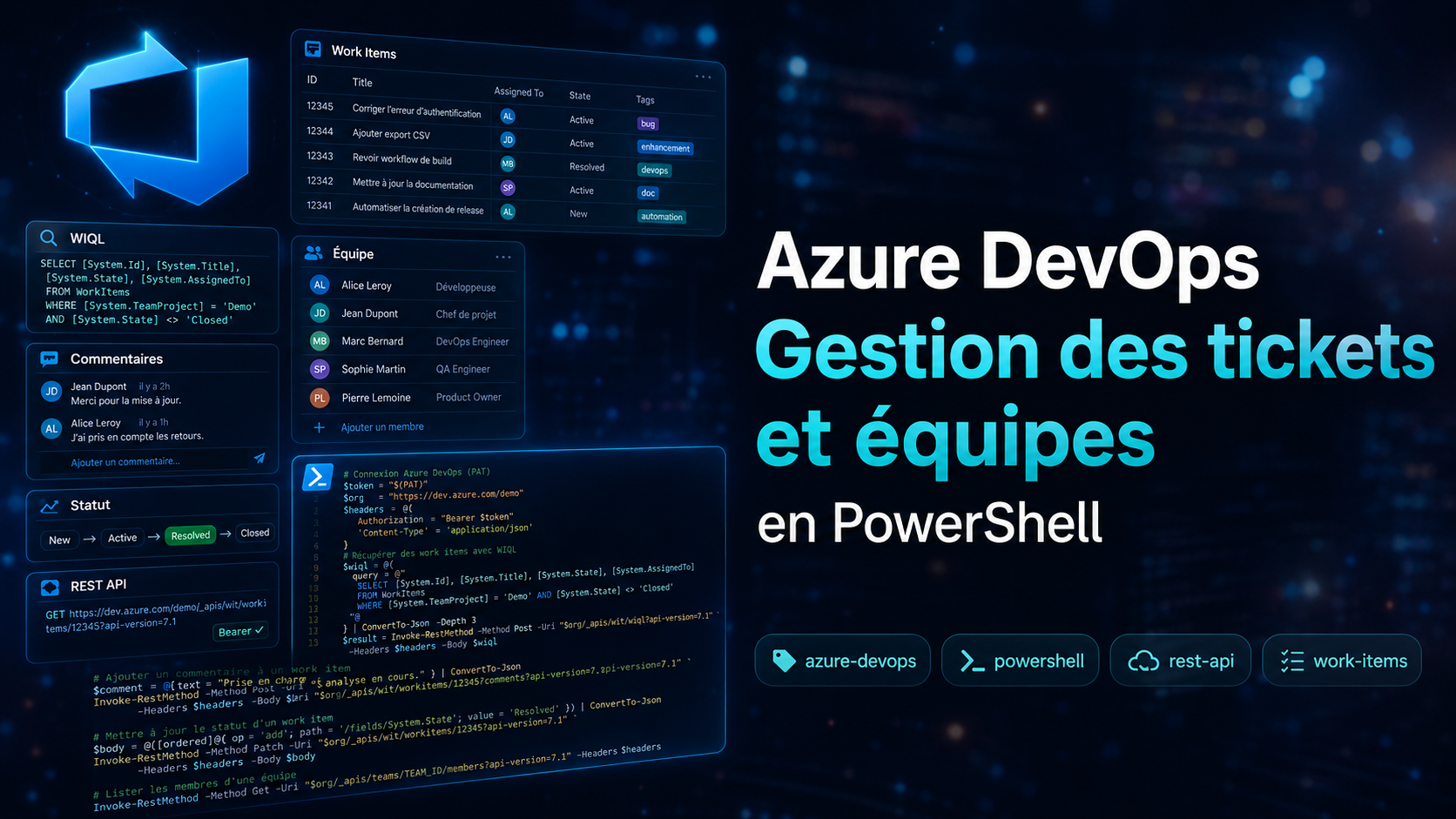
Automatiser Azure DevOps avec PowerShell (REST API)
Intro
Objectif : piloter Azure DevOps en script — créer, lire, rechercher, commenter et changer l'état de tickets, sans PAT, grâce à l'API REST officielle et une Managed Identity.
Toutes les fonctions utilisent Get-Faitza_Modul_Headers -resource "azdevops".
Voir l'article dédié : Get-Faitza_Modul_Headers — Token Bearer pour les APIs Microsoft.
New-Faitza_azdevops_ticket
Droits requis — accès contributeur au projet Azure DevOps
Crée un work item (Task, Bug, User Story…). Le Content-Type json-patch+json
est obligatoire pour l'API Azure DevOps — la fonction le force directement sur le hashtable de headers.
function New-Faitza_azdevops_ticket {
    [CmdletBinding()]
    param (
        $azdev_projet = "Infrastructure",
        $type = "Task",
        $title,
        $description,
        $assignedto,
        [string[]]$tags
    )

    try {
        Write-Host "$($PSStyle.Background.Red)>>> New-Faitza_azdevops_ticket <<<$($PSStyle.Reset)"

        if ([string]::IsNullOrWhiteSpace($title)) { throw "Il manque le title -title" }
        if ([string]::IsNullOrWhiteSpace($description)) { throw "Il manque la description -description" }

        $headers = Get-Faitza_Modul_Headers -resource "azdevops"
        $headers["Content-Type"] = "application/json-patch+json"

        $patch = @(
            @{ op = "add"; path = "/fields/System.Title"; value = $title },
            @{ op = "add"; path = "/fields/System.Description"; value = $description }
        )

        if ($assignedto) { $patch += @{ op = "add"; path = "/fields/System.AssignedTo"; value = $assignedto } }
        if ($tags) { $patch += @{ op = "add"; path = "/fields/System.Tags"; value = ($tags -join ";") } }

        $uri = "https://dev.azure.com/FAITZA/$azdev_projet/_apis/wit/workitems/`$$($type)?api-version=7.1"
        $response = Invoke-RestMethod -Method Post -Uri $uri -Headers $headers -Body ($patch | ConvertTo-Json -Depth 10) -ErrorAction Stop

        if (-not $response.id) { throw "Reponse API invalide" }

        Write-Host "Ticket cree ID $($response.id)"
        $guiUrl = "https://dev.azure.com/FAITZA/$azdev_projet/_workitems/edit/$($response.id)/"
        $response | Add-Member -MemberType NoteProperty -Name "GuiUrl" -Value $guiUrl -Force
        return $response
    } catch {
        throw "Erreur New-Faitza_azdevops_ticket : $_"
    } finally {
        Write-Host "$($PSStyle.Background.Red)<<< New-Faitza_azdevops_ticket >>>$($PSStyle.Reset)"
    }
}New-Faitza_azdevops_ticket `
-azdev_projet "Infrastructure" `
-title "Titre du ticket" `
-description "Description détaillée..." `
-assignedto "[email protected]" `
-tags @("tag1", "tag2")Find-Faitza_azdevops_user
Droits requis — accès en lecture à l'organisation Azure DevOps
Recherche une identité valide dans Azure DevOps (par UPN, nom, email…). Indispensable pour
renseigner le champ AssignedTo d'un ticket — l'API exige une chaîne précise.
function Find-Faitza_azdevops_user {
    [CmdletBinding()]
    param ($identity)

    try {
        Write-Host "$($PSStyle.Background.Red)>>> Find-Faitza_azdevops_user <<<$($PSStyle.Reset)"
        if ([string]::IsNullOrWhiteSpace($identity)) { throw "Il manque l'identite a chercher (-identity)" }

        $headers = Get-Faitza_Modul_Headers -resource "azdevops"
        $identity_encoded = [uri]::EscapeDataString($identity)
        $uri = "https://vssps.dev.azure.com/FAITZA/_apis/identities?searchFilter=General&filterValue=$identity_encoded&queryMembership=None&api-version=7.1"

        $resp = Invoke-RestMethod -Method Get -Uri $uri -Headers $headers -ErrorAction Stop
        if (-not $resp.value -or $resp.count -eq 0) { throw "Aucun utilisateur trouve pour: $identity" }

        $results = foreach ($user in $resp.value) {
            [pscustomobject]@{
                Id          = $user.id
                Provider    = $user.providerDisplayName
                DisplayName = $user.customDisplayName
                UniqueName  = $user.uniqueName
                IsActive    = $user.isActive
                IsContainer = $user.isContainer
                Url         = $user.url
                MentionHtml = "<a href='#' data-vss-mention='version:2.0,$($user.id)'>@$($user.customDisplayName)</a>"
            }
        }

        $results | Select-Object Id, DisplayName, UniqueName, IsActive | Format-Table -AutoSize
        return $results
    } catch {
        throw "Erreur Find-Faitza_azdevops_user : $_"
    } finally {
        Write-Host "$($PSStyle.Background.Red)<<< Find-Faitza_azdevops_user >>>$($PSStyle.Reset)"
    }
}Find-Faitza_azdevops_user -identity "julien"Read-Faitza_azdevops_ticket
Droits requis — accès en lecture au projet Azure DevOps
Récupère les détails complets d'un ticket et tous ses commentaires en un seul appel.
Retourne un objet structuré avec ticket et commentaires.
function Read-Faitza_azdevops_ticket {
    [CmdletBinding()]
    param ($project = "Infrastructure", $id)

    try {
        Write-Host "$($PSStyle.Background.Red)>>> Read-Faitza_azdevops_ticket <<<$($PSStyle.Reset)"
        if ([string]::IsNullOrWhiteSpace($id)) { throw "Il manque l'id du ticket (-id)" }

        $headers = Get-Faitza_Modul_Headers -resource "azdevops" -contentType "jsonpatch"
        $resp = Invoke-RestMethod -Method Get -Uri "https://dev.azure.com/FAITZA/$project/_apis/wit/workitems/$($id)?api-version=7.1" -Headers $headers -ErrorAction Stop
        $resp_comments = Invoke-RestMethod -Method Get -Uri "https://dev.azure.com/FAITZA/$project/_apis/wit/workitems/$($id)/comments?api-version=7.1-preview.3" -Headers $headers -ErrorAction Stop

        if (-not $resp -or -not $resp.id) { throw "Aucun ticket trouve pour: $id" }

        $formattedComments = $resp_comments.comments | ForEach-Object {
            [pscustomobject]@{ Author = $_.createdBy.displayName; Date = $_.createdDate; Comment = $_.text }
        }

        return [pscustomobject]@{
            ticket = [pscustomobject]@{
                Id           = $resp.id
                WorkItemType = $resp.fields."System.WorkItemType"
                Title        = $resp.fields."System.Title"
                State        = $resp.fields."System.State"
                AssignedTo   = $resp.fields."System.AssignedTo".displayName
                Tags         = $resp.fields."System.Tags"
                Description  = $resp.fields."System.Description"
                Comments     = $resp_comments.comments
            }
            commentaires = $formattedComments
        }
    } catch {
        throw "Erreur Read-Faitza_azdevops_ticket : $_"
    } finally {
        Write-Host "$($PSStyle.Background.Red)<<< Read-Faitza_azdevops_ticket >>>$($PSStyle.Reset)"
    }
}$result = Read-Faitza_azdevops_ticket -id 1042
$result.ticket
$result.commentairesFind-Faitza_azdevops_ticket
Droits requis — accès en lecture au projet Azure DevOps
Recherche des tickets via WIQL. Supporte le filtre par titre (-title),
par état (-state), ou les deux. L'opérateur par défaut est CONTAINS.
function Find-Faitza_azdevops_ticket {
    [CmdletBinding()]
    param ($project = "Infrastructure", $operator = "CONTAINS", $title, $state)

    try {
        Write-Host "$($PSStyle.Background.Red)>>> Find-Faitza_azdevops_ticket <<<$($PSStyle.Reset)"
        if (-not $title -and -not $state) { throw "Il manque des parametres : vous devez fournir un -title, un -state, ou les deux." }

        $headers = Get-Faitza_Modul_Headers -resource "azdevops"
        $queryConditions = @("[System.TeamProject] = '$project'")
        if ($title) { $queryConditions += "[System.Title] $operator '$($title.Replace("'", "''"))'" }
        if ($state) { $queryConditions += "[System.State] = '$($state.Replace("'", "''"))'" } else { $queryConditions += "[System.State] <> 'Closed'" }

        $whereClause = $queryConditions -join "`n                AND "
        $wiql = @{ query = "SELECT [System.Id] FROM WorkItems WHERE $whereClause" }
        $resp = Invoke-RestMethod -Method Post -Uri "https://dev.azure.com/FAITZA/$project/_apis/wit/wiql?api-version=7.1" -Headers $headers -Body ($wiql | ConvertTo-Json -Depth 5) -ErrorAction Stop

        if (-not $resp.workItems -or $resp.workItems.Count -eq 0) { Write-Host "Aucun ticket trouve avec ces criteres."; return $null }
        $results = @($resp.workItems | ForEach-Object { $_.id })
        Write-Host "$($results.Count) ticket(s) trouve(s) : $results"
        return $results
    } catch {
        throw "Erreur Find-Faitza_azdevops_ticket : $_"
    } finally {
        Write-Host "$($PSStyle.Background.Red)<<< Find-Faitza_azdevops_ticket >>>$($PSStyle.Reset)"
    }
}# Recherche par titre
Find-Faitza_azdevops_ticket -title "migration"
# Recherche par état
Find-Faitza_azdevops_ticket -state "Active"
# Combiné avec opérateur exact
Find-Faitza_azdevops_ticket -title "Deploy prod" -operator "=" -state "New"Get-Faitza_azdevops_TeamMembers
Droits requis — accès en lecture à l'organisation Azure DevOps
Liste les membres d'une équipe dans un projet Azure DevOps.
Utile pour récupérer les UniqueName à passer à -assignedto.
function Get-Faitza_azdevops_TeamMembers {
    [CmdletBinding()]
    param ($project, $team)

    try {
        Write-Host "$($PSStyle.Background.Red)>>> Get-Faitza_azdevops_TeamMembers <<<$($PSStyle.Reset)"
        if ([string]::IsNullOrWhiteSpace($project)) { throw "Il manque le projet (-project)" }
        if ([string]::IsNullOrWhiteSpace($team)) { throw "Il manque l'equipe (-team)" }

        $headers = Get-Faitza_Modul_Headers -resource "azdevops"
        $project_encoded = [uri]::EscapeDataString($project)
        $team_encoded = [uri]::EscapeDataString($team)
        $uri = "https://dev.azure.com/FAITZA/_apis/projects/$project_encoded/teams/$team_encoded/members?api-version=7.1"

        $resp = Invoke-RestMethod -Method Get -Uri $uri -Headers $headers -ErrorAction Stop
        if (-not $resp.value -or $resp.count -eq 0) { Write-Host "Aucun membre trouve pour l'equipe '$team' dans le projet '$project'."; return @() }

        $results = foreach ($member in $resp.value) {
            [pscustomobject]@{ DisplayName = $member.identity.displayName; UniqueName = $member.identity.uniqueName; Id = $member.identity.id }
        }
        Write-Host "Nombre de membres trouves : $($results.Count)"
        return $results
    } catch {
        throw "Erreur Get-Faitza_azdevops_TeamMembers : $_"
    } finally {
        Write-Host "$($PSStyle.Background.Red)<<< Get-Faitza_azdevops_TeamMembers >>>$($PSStyle.Reset)"
    }
}Get-Faitza_azdevops_TeamMembers -project "Infrastructure" -team "Infrastructure Team"Add-Faitza_azdevops_TicketComment
Droits requis — accès contributeur au projet Azure DevOps
Ajoute un commentaire à un ticket existant via le champ System.History (PATCH JSON Patch).
function Add-Faitza_azdevops_TicketComment {
    [CmdletBinding()]
    param ($id, $comment, $azdev_projet = "Infrastructure")

    try {
        Write-Host "$($PSStyle.Background.Red)>>> Add-Faitza_azdevops_TicketComment <<<$($PSStyle.Reset)"
        if ([string]::IsNullOrWhiteSpace($id)) { throw "Il manque l'id du ticket (-id)" }
        if ([string]::IsNullOrWhiteSpace($comment)) { throw "Il manque le commentaire (-comment)" }

        $headers = Get-Faitza_Modul_Headers -resource "azdevops"
        $headers["Content-Type"] = "application/json-patch+json"
        $patch = @(@{ op = "add"; path = "/fields/System.History"; value = $comment })
        $uri = "https://dev.azure.com/FAITZA/$azdev_projet/_apis/wit/workitems/$id`?api-version=7.1"
        $response = Invoke-RestMethod -Method Patch -Uri $uri -Headers $headers -Body (ConvertTo-Json -InputObject $patch -Depth 10) -ErrorAction Stop

        if (-not $response.id -or $response.id -ne $id) { throw "Reponse API invalide" }
        Write-Host "Commentaire ajoute au ticket $id"
        return $true
    } catch {
        throw "Erreur Add-Faitza_azdevops_TicketComment : $_"
    } finally {
        Write-Host "$($PSStyle.Background.Red)<<< Add-Faitza_azdevops_TicketComment >>>$($PSStyle.Reset)"
    }
}Add-Faitza_azdevops_TicketComment `
-id 1042 `
-comment "Intervention effectuée le $(Get-Date -Format 'yyyy-MM-dd'). Voir logs joint."Set-Faitza_azdevops_Ticket
Droits requis — accès contributeur au projet Azure DevOps
Change l'état d'un ticket (New → Active → Resolved → Closed…) via PATCH JSON Patch.
function Set-Faitza_azdevops_Ticket {
    [CmdletBinding()]
    param ($id, $state, $azdev_projet = "Infrastructure")

    try {
        Write-Host "$($PSStyle.Background.Red)>>> Set-Faitza_azdevops_Ticket <<<$($PSStyle.Reset)"
        if ([string]::IsNullOrWhiteSpace($id)) { throw "Il manque l'id du ticket (-id)" }
        if ([string]::IsNullOrWhiteSpace($state)) { throw "Il manque le statut (-state)" }

        $headers = Get-Faitza_Modul_Headers -resource "azdevops"
        $headers["Content-Type"] = "application/json-patch+json"
        $patch = @(@{ op = "add"; path = "/fields/System.State"; value = $state })
        $uri = "https://dev.azure.com/FAITZA/$azdev_projet/_apis/wit/workitems/$id`?api-version=7.1"
        $response = Invoke-RestMethod -Method Patch -Uri $uri -Headers $headers -Body (ConvertTo-Json -InputObject $patch -Depth 10) -ErrorAction Stop

        if (-not $response.id -or $response.id -ne $id) { throw "Reponse API invalide" }
        Write-Host "Statut du ticket $id modifie vers $state"
        return $true
    } catch {
        throw "Erreur Set-Faitza_azdevops_Ticket : $_"
    } finally {
        Write-Host "$($PSStyle.Background.Red)<<< Set-Faitza_azdevops_Ticket >>>$($PSStyle.Reset)"
    }
}Set-Faitza_azdevops_Ticket -id 1042 -state "Resolved"Liens Microsoft
- Work Items — Create — learn.microsoft.com
- Work Items — Update — learn.microsoft.com
- WIQL — Query by WIQL — learn.microsoft.com
- Teams — Get Team Members — learn.microsoft.com
Pièges
Pour toute opération POST ou PATCH sur un work item, Azure DevOps exige
application/json-patch+json. Les fonctions l'écrivent directement sur le hashtable
de headers après l'avoir obtenu : $headers["Content-Type"] = "application/json-patch+json".
Le champ System.AssignedTo n'accepte pas n'importe quelle chaîne.
Utiliser Find-Faitza_azdevops_user pour obtenir le UniqueName exact
attendu par l'API — typiquement au format Prénom NOM <[email protected]>.
Les URLs Azure DevOps contiennent $Task, $Bug… Le $
doit être échappé avec un backtick (`$) dans les chaînes PowerShell entre guillemets doubles,
sinon il est interprété comme une variable.
// Commentaires
2 commentairesC'est super
Toujours super ?